VINS-Mono 如何跑起来
在 Cyperstereo 上运行 VINS-Mono
1.将相机标定文件转换为vins_mono的配置文件
SDK的slam文件夹下提供vins_mono的通用配置文件,
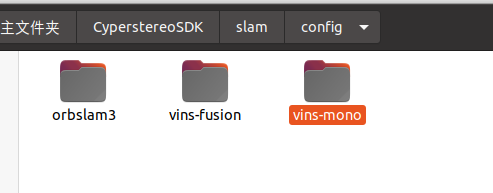
需要根据自己相机的标定文件重新生成cyperstereo_vins_mono_config.yaml文件,相机的标定文件根据自己相机的sn码找客服获取。
如下图所示,使用~/CyperstereoSDK/slam/config/vins-mono/CyperStereo下的generate_vins_mono_config.py脚本将自己相机的标定文件写入到cyperstereo_vins_mono_config.yaml文件中

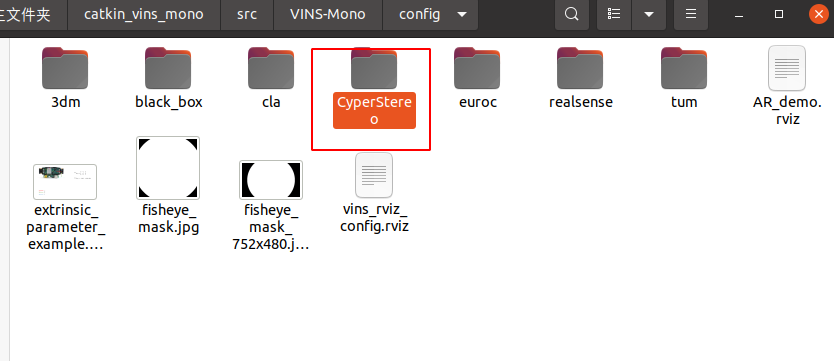
重新写入完成后,将cyperstereo_vins_mono_config.yaml文件放到如下路径CyperStereo文件夹内
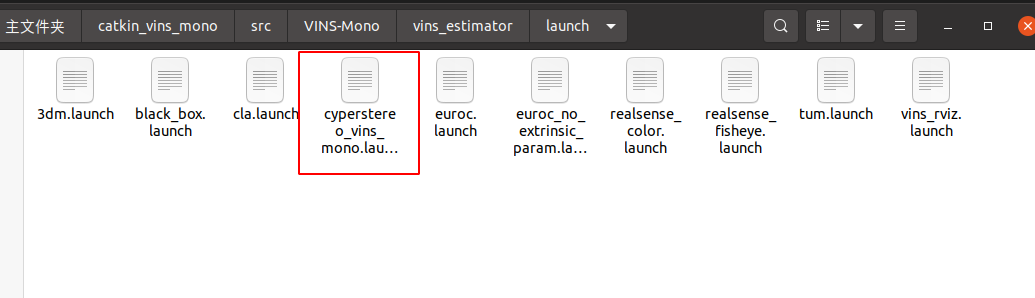
将cyperstereo_vins_mono.launch文件放到如下路径
2.运行Cyperstereo节点
cd (local path of Cyperstereo)
source ./devel/setup.bash
rosrun CyperstereoRos capture_image_imu
3.打开另一个命令行运行vins
cd (local path of vins)
source ./devel/setup.bash
roslaunch vins_estimator cyperstereo_vins_mono.launch
roslaunch vins_estimator vins_rviz.launch